Using ICT in the Classroom Part Two: A Guide for Teachers

An article by Richard James Rogers

Illustrated by Sutthiya Lertyongphati

ICT offers a whole new world of discovery and adventure to the learning process, but how many of us actually use it strategically?

Tragically, many teachers are still ‘ticking the boxes’ with ICT, using it as a means to impress an observer or inspector, or to fill in an obscure rubric.

This is concerning.

Last week, we looked at ways in which ICT can be used to support instruction and support learning, and we emphasized the fact that the full use of computer systems can even save you massive amounts of time and energy in lesson planning and assessment. 

teaching with laptop.jpg
Are you working too hard? Computers can even do most of the teaching for you now, leaving you to embrace the roles of mentor and facilitator

This week, we will focus on exploratory and collaborative ICT systems, and how they can revolutionize learning and improve student grades. 

Exploratory and Collaborative ICT

I’ve grouped these methodologies into one category as groups of students often use ICT to explore and create content at the same time. Let’s take a look at some of the best ways to implement this into your teaching.

Allow opportunities for research

If you are trying to teach a large topic (e.g. cell division, transformations of functions,

vr
Capitalise on the creative abilities of your students when using ICT to enhance learning

the Battle of the Somme, etc.), then you’ll naturally have lots of content to get through. Why not try the time-tested method of the market place activity, whilst using ICT at the same time?  Follow these steps:

  1. Split the class into groups, each with a specific task and roles to play (this is crucial). For example: Team 1: Rosie (Information researcher using iPad), Charles (Prezi creator using laptop, receives info from Rosie via e-mail), David (voice narrator using the AudioMemo app on the Smartphone), Thomas (Final editor and team leader, ensures good communication flow between members). Teams 2-4 would be constructed in the same way.
  2. After a suitable length of time, get the team leader to quickly go to another team and find out what they’ve been studying and researching. After about five minutes, the team leader can come back and report his or her findings to the group, so that they can put it into their presentation.
  3. At the end of this lesson (or the next lesson, if time is limited), allow students time to present their work. Perhaps each group could peer assess each other?

    with-ukedchat
    “This is a great book for people who are trying to get to grips with their busy teaching schedule” –

Think of novel ways to create content

Part of a new wave of educational culture focusses on achieving success criteria. This is language that you’ll have to teach to the kids, but once it’s in place it can work wonders in your classroom.

For example: Let’s say you are leading a Year 8 art class on city-scape images. The objective is to create an image of a metropolis from the perspective of an alien visitor. But what are the success criteria? How will the students know that they have achieved this objective, and what methods will they use to achieve it? If you plan in advance and you’re smart, you’ll let your students decide how to tackle the problem by themselves, using whatever technology is available. 

Now a traditional artist would quickly get to work with brushes, paint, pens, pencils and the like. But why be limited to this? Try providing the students with a wide-range of materials to use, including technology (e.g. Tablets, smartphones, camera’s, digital sketch pads, 3D printing, etc). Perhaps you can group the students, and allow them some planning time first, before they embark on their project.

schematic
Try providing your students with as many technological options as possible when embarking on a project. Allow them time to plan. This builds up collaboration and problem-solving skills, and it’s enjoyable! Perfect!

Does this sound scary to you? Some educators and schools would frown on this, saying that students should never direct the methodology of the lesson and the teacher should always lead from the front. This ‘sage on a stage’ approach, however, doesn’t adequately provide students with the key skills that employers and universities are really looking for these days. Take this quote, from targetjobs.co.uk, for example:

Teamwork is one of the fundamental skills employers look for and it’s on the graduate recruiters’ high priority list. The best way to show off any skill is to explain how you used it to get results. However, with teamwork you will have to show how you achieved a group result.

So try killing two birds with one stone: Get your students working together and using ICT at the same time. They’ll be engaged, they’ll be learning and they’ll be building up their key skills.

Use, create and edit videos

You’ll notice that I’ve created my first ever instructional video this week! (Well, I would be a bit of a hypocrite if I didn’t!).

Nowadays, it’s easier than ever to do this. Videos can be used in all sorts of ways. See this extract from my book:

Blog 26th March 1

When it comes to editing movies, iMovie (Apple) and FilmoraGo (Android) are great apps you can use. Why not ask your school’s ICT department to download these onto your school’s iPads or tablets? In addition, get your students to share their videos on the school’s VLE or official Facebook, Vimeo or YouTube site. This is great PR for the school and gives the students a wider sense of purpose to their work as they can inform a wide audience and showcase their project to their parents.

Try stop-motion animations

I’ve sued these many times in my career and they are great. Some of the earliest forms of film-making involve taking still images of a scene and then sunning them together to make a ‘moving picture’. Students can do this with model building to illustrate any process or strategy. Take a look at this video, for example, of a stop-motion animation illustrating DNA replication:

You Tube

Collate data in unique ways

These extracts from my book show how smartphones and tablets can be used to collate and present data:

Slide2.JPG

Slide3.JPG
Just look at these beautiful charts that can be easily made on tablets and smartphones

Try using social media

It’s unstoppable: Social media platforms continue to grow in both influence and functionality. The following infographic outlines some cool ways in which you can use social media in education. Can you think of more ideas?

Using social media in education-page-0

Summary

I really hope that both this week’s and last week’s blog posts have given you some tips that you can use in a practical way in the classroom. Please feel free to comment below with any extra ideas you have, and please feel free to contact me through any of the social media buttons on the top right of the page if you have any questions or comments. 

The following summary extracts are taken from my very popular debut book. I hope they’re useful.

Slide5

Slide6

Slide7.JPG

img_5938

richard-rogers-online

We welcome you to join the Richard Rogers online community. Like our Facebook page and follow us on Twitter for daily updates.

Latest hybrid

Using ICT in the Classroom Part One: A Guide for Teachers

Updated July 2022

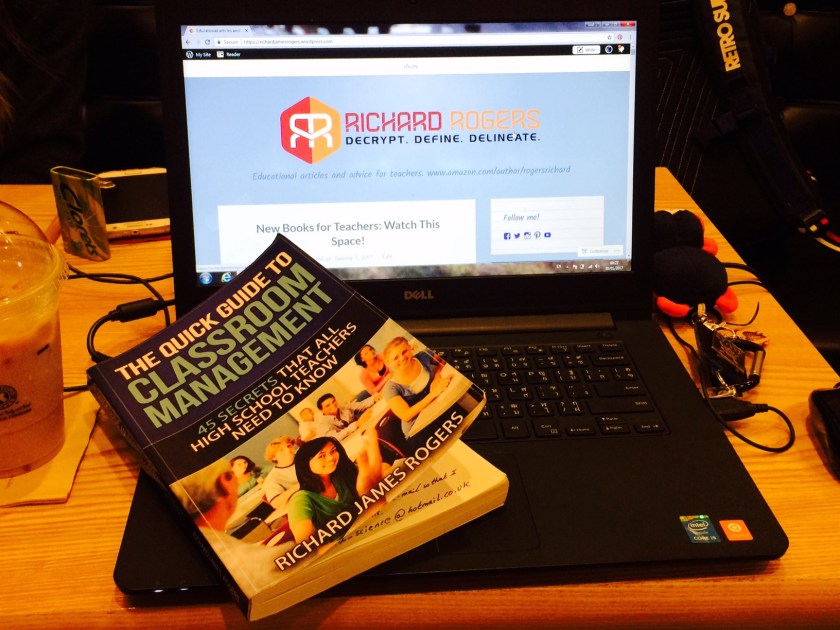
An article by Richard James Rogers (Award-Winning Author of The Quick Guide to Classroom Management and The Power of Praise: Empowering Students Through Positive Feedback)

Illustrated by Sutthiya Lertyongphati

We all know that we should be using different forms of information technology to enhance our students learning experiences. In my 11 years of teaching experience, I’ve had the great fortune of being able to experiment with different methods and I’d like to share my findings with you.

One thing is certain: ICT definitely enhances learning, when it is used and planned properly!

Chapter 5 - drones and hacking
The possibilities are endless when ICT is used to enhance learning

I’m going to split the methodologies into four streams for the sake of clarity: Instructional ICT, Supportive ICT, Exploratory ICT and Collaborative ICT. If all four of these streams are used in unison with each other, then teachers will find that their workload reduces dramatically, their students progress rapidly and parents are kept happy and informed. Now what could be better than that?

Safety First

Make sure your students are safe online. Educate them about the SMART acronym. See this extract from my book below:

SMART

Instructional ICT

Interactive Presentations

MS PowerPoint has been around for more than two decades. My lecturers were using it in university, and I even created PowerPoints as a student when I was in high school. Now I’m 33 years old, and some schools are still content with the notion that using a PowerPoint can count as ‘using ICT to enhance learning’.

I’m sorry, but that just doesn’t cut the mustard these days.

Try using presentations that get the students actively engaged. Do your students come up to the whiteboard to move objects around, match words to descriptions or interact with simulations? Do you use your PPT or other presentation as a prompt for getting students out of their seats, such as by making them stand on either sides of the room for True/False answers, or asking them to form a human graph?

projector interactive
Are you just lecturing at your students lesson after lesson? Try making your presentations interactive, and get students up out of their seats.

Tablets, Smartphones and Laptops

with-ukedchat
“This is a great book for people who are struggling to cope with their busy teaching schedule”UKEdChat Book Review

Portable technology has revolutionized every area of teaching. When embraced and utilised properly, mobile devices can assist in the the delivery, assessment, record keeping and discovery of content, as well as building up key skills such as communication and collaboration.

I wrote about this exhaustively in my book, which I would recommend for any teacher who wants to brush up their classroom management skills through the use of ICT. For the sake of conciseness, I shall summarise the main themes here.

Don’t be camera shy

Chapter 5 - seeking for clues

Camera’s on smartphones, tablets and laptops can be used for variety of purposes. Try the following:

  • Taking photos and videos of experiments, projects and fieldwork to put in reports
  • Setting up a QR code treasure hunt where the students have to hunt for ‘clues’ and information around the school campus (great fun).  Students can even compete in teams for this task, and collate the information together in a unique way, such as a flow chart, at the end of the lesson. See below:
QR hunt summary jpeg
Instructions for using QR codes treasure hunts in your teaching practice.
  • You can also use smartphone, tablet, laptop and standalone cameras with students to create videos (which can be shared online), podcasts, radio shows, stop-motion animations and even instructional lectures, such as a model-building demo. I’ll write about this in more detail in next week’s blog post, in which we’ll focus on Exploratory and Collaborative ICT. 

Use instructional software

I’ll never forget when I first started using MyiMaths, an online maths tutoring and assessment system, to teach mathematics. It was back in 2013, and it totally transformed my work life. 

Why? That’s simple. Students would go into the ICT lab, or use their laptops or tablets in class, and literally be taught mathematics by the computer! The program would even assess the work immediately, and differentiation wasn’t a problem because students could work through the tasks at their own individual pace. The benefits were enormous:

  1. All of the students were focussed and engaged
  2. All of the students were challenged
  3. The teacher had more time to spend with individuals working on specific problems
  4. The content was relevant and stimulating
  5. No behavior management issues as the students were all quietly working
  6. No time was needed by the teacher for marking and assessment. The program did all that for you. All you had to do was collate the data.
tablet activity
Try using instructional software with your students. The benefits for everyone are enormous, and the cost is usually cheap.

Supportive ICT

Allow for research opportunities

Gone are the days when ‘chalk and talk’ and ‘sage on a stage’ methodologies permeated every school. ‘Collaboration’ and ‘exploration’ are the buzzwords of education now, and we are able to do this better than ever before.

walking-around-wt-laptop

Don’t be shy about allowing students to use their smartphones in class (but be sensitive to what they’re actually accessing, and also be aware that some students might not own smartphones. Have a stack of iPads or tablets ready, to give students the ‘choice’ of using them). 

Students can use the web to find out facts about their subjects, as well as for revision. Great websites to use include these classics:

http://www.bbc.co.uk/education

http://www.s-cool.co.uk/

Also, check out this earlier blog post of mine where I provide great websites split into subject areas. 

Making graphs and charts and editing images

Any form of data set can be graphed in various ways by tablets and smart phones. This could happen in a history lesson in which you’re studying the number of new cases of the bubonic plaque over a set period of time; a mathematics lesson where the students have conducted a simple survey; a science lesson where the kids are measuring the light absorbance of different solutions or even an English lesson where you’re studying the frequency of particular adjectives in different texts. Good graphing apps include ‘Numbers’, ‘Viz’, ‘3D Charts’ and ‘Chart Maker’ (Apple™) and ‘Simple Graph Maker’, ‘My Graph (Chart)’, ‘ChartGo’ and ‘Juice Labs’ (Android™).

Portable homework diary

Are you sick of your students forgetting their homework? Does your school still use those old-fashioned homework diaries where everything needs to be written down? If your school isn’t using a homework database or a VLE to set assignments, then one way to solve this is to get the students to take a photograph of the homework task after you’ve written it on the whiteboard or projected it. This is also a very good option for students with additional learning needs and those who are operating with English as their second language. Additionally, if the homework is complex and involves multiple steps (e.g. navigating through a particular VLE portal), then students should be encouraged to take photographs of each step in the process.

Chapter 7 - sending emails
Messaging systems and Virtual Learning Environments have revolutionized the way that students keep track of their homework and grades

Create!

There are a myriad of programs offered within the Apple™ and Windows™ suites can assist students in the creation of their assignments. You can be very open minded, and give your students the task of ‘using ICT to produce this homework’, or you can even train students in the use of a particular platform first, and then set them the task of creating something with it. Furthermore, online interfaces such as Weebly and WordPress allow students the opportunity to create websites quickly and easily. Websites that students create can be used for:

  • Blogging
  • Recording topic summaries each month or on a regular basis
  • Keeping track of coursework (the website itself can be a coursework log)
  • Homework assignments
  • Revision
  • Collaboration – working with teams at school or between schools
PC activity with mouse pen
Allow your students the freedom to be creative in their use of ICT

What if the kids don’t have any ideas?

The following form was included in my book and is great for getting students to think creatively about using ICT, with special reference to future systems that haven’t been created yet:

Slide1
Slide2
Slide3
Slide4
img_5938
richard-rogers-online

We welcome you to join the Richard Rogers online community. Like our Facebook page and follow us on Twitter for daily updates.

Latest hybrid